


You’ve just installed Argo CD, but you’re already wondering how to minimize your workload when developers want to add new applications. You need a way to control which applications run in which clusters, and how they are configured. Maybe you’ve even created a Helm chart to manage all the possible Argo Application resources, only to realize that this doesn’t scale very well.
Sounds familiar? That’s exactly where I started. In this article I’ll show how to manage applications using a tool that is native to Argo CD: the ApplicationSet.
What is an ApplicationSet?
The Argo CD documentation is so full of detail that it is easy to miss some of the more important features. The ApplicationSet is one such feature that is easily overlooked. After all, it's quite easy to use Helm to template plain Application resources and call it a day.
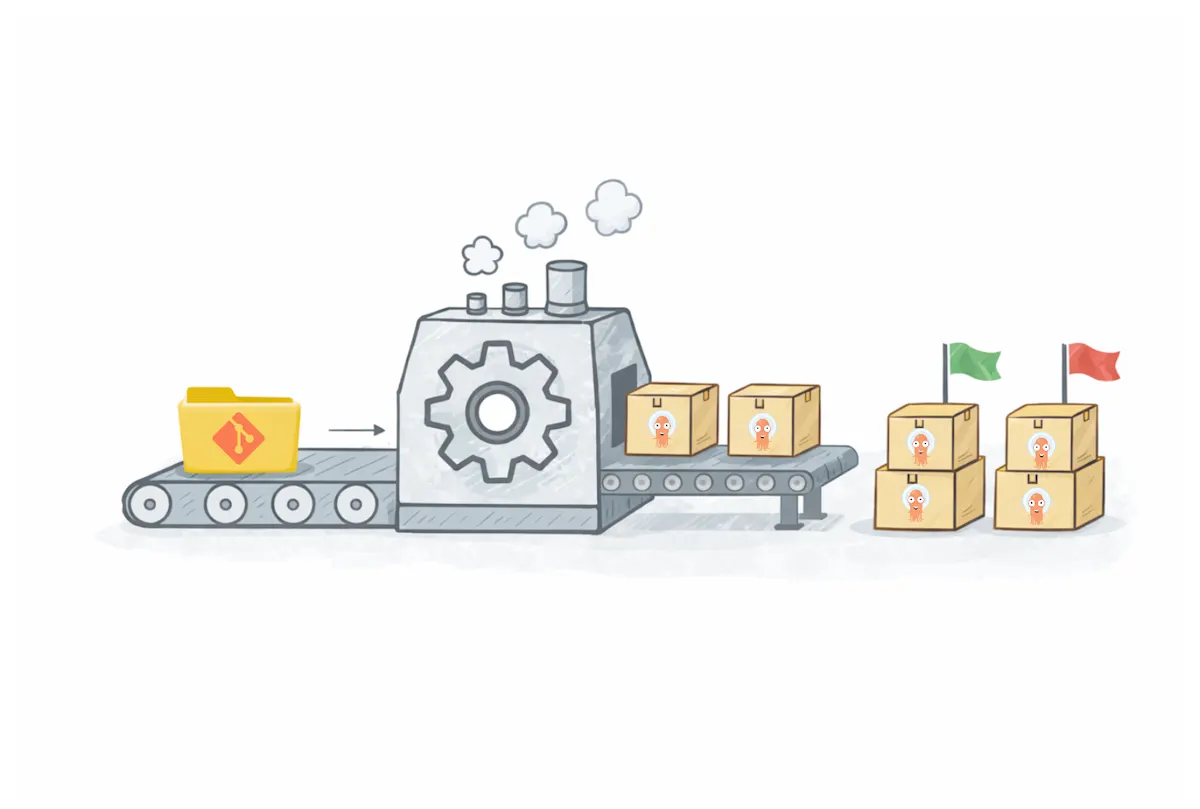
You can think of the ApplicationSet as an Application factory. The idea is that you configure so-called generators that generate parameter sets for templated Applications. Each parameter set results in a distinct Application. The ApplicationSet is responsible for creating and deleting the Application resources, nothing else. It is then the Application instances' responsibility to maintain the actual app deployments.
When not to use ApplicationSets?
Like any other technology, ApplicationSets are no silver bullet that solve any problem imaginable. While they are very flexible and often a good default choice, there are cases where they add unnecessary complexity.
The most obvious case is a single application running in a single environment. In that situation, creating an Application directly is usually sufficient. The same applies to very small environments where the number of Applications remains manageable. However, if you find yourself reaching for Helm to template Argo CD Applications, it is usually a good sign that an ApplicationSet would be a better fit.
Another case where ApplicationSets may not be a good fit is when application teams fully own their Argo CD Applications and are responsible for their lifecycle end to end, without a need for centralized control.
Generators
The ApplicationSet spec.generators field configures the data source(s) for generating Applications. The generated values are then used in the Application template. There are a handful of generators to choose from, for example:
List Generator supports configuring a list of arbitrary key-value pairs.
Cluster Generator taps in to the list of clusters managed by the Argo CD instance.
Git Generator reads directory structures or configuration from YAML/JSON files inside a Git repository.
Pull Request Generator uses the GitHub/Gitea/Bitbucket API to discover open pull requests within a repository.
The List Generator is the least flexible option as it defines a static list of configurations. Configuration changes require an update to the ApplicationSet resource.
The Cluster Generator reads what clusters are managed by Argo CD and provides the values that are needed to configure the destination server in the generated Applications. The label selector feature lets you filter the list of clusters so that the ApplicationSet can target a subset of clusters, allowing you to create rules such as "deploy these applications on clusters that are labeled production=true".
The Git Generator is the most powerful generator, and it has two modes to choose from. Even the documentation warns that you should preferably hard code the project field in the Application template to prevent privilege escalation.
The Git directory generator looks at the repository file structure and searches for paths that match the configured patterns using Go's path Match. Your templates can then use the matched paths to configure the apps.
The Git file generator looks for YAML or JSON files that match a given pattern. It loads the matched file and converts the contents to template parameters. This is a very powerful feature that I'll demonstrate later in the article.
There are also the Matrix and Merge generators that let you combine results from other generators together. You could combine the Cluster Generator with the Git generator to apply many apps across multiple clusters, for example.
Defining a GitOps contract with developers
You'll want to reduce the friction of introducing new applications to the Kubernetes environment. But how do you do that with ApplicationSets?
The short answer is that you need to create a contract with the developers. Define what configurations and file structure patterns are required from them so that their applications appear in the right clusters and namespaces. Then implement your ApplicationSets around that contract.
Try to keep the number of configuration Git repositories constant. Use one or multiple configuration monorepos, depending on the size of your organization. One repository per team or Git organization is a good baseline.
How ApplicationSets are defined depends on your deployment model. Different approaches work better for Helm and Kustomize, and the requirements can also vary between a centralized Argo CD instance and per-cluster installations.
Environment separation with Kustomize
The Git directory generator works really well with Kustomize overlays as the environment configurations can be stored in specific locations. Then, in your developer contract, you state that each application should use a specific directory structure inside the monorepo, such as apps/<app-name>/overlays/<env-name>.
You create *multiple* ApplicationSets but deploy them to only on specific clusters. Whether you use a centralized Argo CD or separate instances per cluster does not really matter, in this example we target the local cluster. You then configure the Git directory generator to match the correct spec:
apiVersion: argoproj.io/v1alpha1
kind: ApplicationSet
metadata:
  name: ecommerce-dev
  namespace: openshift-gitops
spec:
  goTemplate: true
  goTemplateOptions: ["missingkey=error"]
  generators:
  - git:
      repoURL: "https://<your-git-provider>/ecommerce/gitops.git"
      revision: "HEAD"
      directories:
      - path: apps/*/overlays/dev
  template:
    metadata:
      name: "ecommerce-{{index .path.segments 1}}-{{index .path.segments 3}}"
    spec:
      project: ecommerce-dev
      source:
        repoURL: "https://<your-git-provider>/ecommerce/gitops.git"
        targetRevision: "HEAD"
        path: "{{.path.path}}"
      destination:
        server: "https://kubernetes.default.svc"
        namespace: "ecommerce-{{index .path.segments 1}}-{{index .path.segments 3}}"
      syncPolicy:
        automated:
          prune: true
          selfHeal: true
        syncOptions:
          - CreateNamespace=true
In the example we use an imaginary Git repo ecommerce/gitops that could manage all applications for the ecommerce organization.
This ApplicationSet looks for directories matching the apps /*/overlays/dev structure and creates an Application for all matching directories. It uses Go templating to generate the Application name and namespace, and uses the path.path variable to set the source path for deployment. This assumes a fixed directory depth; changes to the structure require updating the template.
A matching AppProject is also needed:
apiVersion: argoproj.io/v1alpha1
kind: AppProject
metadata:
  name: ecommerce-dev
  namespace: openshift-gitops
spec:
  sourceRepos:
    - "https://<your-git-provider>/ecommerce/gitops.git"
  destinations:
    - namespace: 'ecommerce-*-dev'
      server: '*'
  clusterResourceWhitelist:
    - group: ""
      kind: Namespace
The AppProject sets the rules for the sources and destinations, what can be deployed where. It also explicitly allows the creation of namespaces. If you forget this, Applications will sync but fail to create namespaces. This is important as we want to stay as hands off as possible. Make sure that the AppProject is properly scoped and does not give too wide permissions on the managed cluster.
Replicate the same configuration for the other environments.
The rough directory structure for the ecommerce/gitops repository could look something like this.
apps
├── finance-api
│   ├── base
│   └── overlays
│       ├── dev
│       └── prod
├── payment-gateway
│   ├── base
│   └── overlays
│       ├── dev
│       ├── prod
│       └── test
└── store-frontend
    ├── base
    └── overlays
        ├── dev
        ├── prod
        └── staging
All application deployments are configured under the apps directory. The names of the child directories are used as part of the generated namespaces. Note that we can now easily select the environments where each application needs to run by simply creating configuration directories as long as the agreed repository structure is respected. The developers don't even need to know about the existence ApplicationSets!
We can easily see that all apps have both dev and prod environments. In addition, the payment-gateway app has a test environment, and the store-frontend includes a staging configuration. We could just as easily run the finance-api on staging by adding a new overlay.
Templating Helm-based projects
While the Kustomize configuration is easily handled with the directory structure, Helm charts can be a bit trickier to manage. Here I present one approach to the problem using the Git file generator.
Our contract with the developers is the following:
The Helm charts should be local to the GitOps repository and placed under the
appsdirectory.Each environment should have its own value files configuration and use Helm value hierarchies.
Deployment to a specific environment is controlled by the existence of a
config-<env>.yamlfile that defines the needed value files with avalueFilesproperty.
This is how we can describe the contract as an ApplicationSet:
apiVersion: argoproj.io/v1alpha1
kind: ApplicationSet
metadata:
  name: ecommerce-dev
  namespace: openshift-gitops
spec:
  goTemplate: true
  goTemplateOptions: ["missingkey=error"]
  generators:
    - git:
        repoURL: "https://<your-git-provider>/ecommerce/gitops.git"
        revision: "HEAD"
        files:
          - path: "apps/*/config-dev.yaml"
        values:
          name: "{{.path.basenameNormalized}}"
  template:
    metadata:
      name: "ecommerce-{{.values.name}}-dev"
    spec:
      project: ecommerce-dev
      source:
        repoURL: "https://<your-git-provider>/ecommerce/gitops.git"
        targetRevision: HEAD
        path: "{{.path.path}}"
      destination:
        server: https://kubernetes.default.svc
        namespace: "ecommerce-{{.values.name}}-dev"
      syncPolicy:
        automated:
          prune: true
          selfHeal: true
        syncOptions:
          - CreateNamespace=true
  templatePatch: |
    spec:
      source:
        helm:
          valueFiles:
          {{- $f := range .valueFiles }}
            - {{ $f | quote }}
          {{- end }}
The Git file generator uses the apps/*/config-dev.yaml pattern to match any project that should be deployed to the development environment.
The .path.basenameNormalized parameter contains a normalized version of the parent directory of the matched config file. We save it as name in the additional values for the Git generator. The .values.name is then used to define the name of the Application and the namespace where it is deployed.
We also set the sync policy to create the namespace and self-heal on config drift.
When an app contains a file called config-dev.yaml, a matching dev Application is created. Here we need to move into more advanced territory, since the Helm valueFiles configuration requires custom logic. The valueFiles field expects a list, which is not compatible with simple variable expansion.
The templatePatch configuration is defined as a multi-line string. There we can define a YAML structure that will be used to override configurations in the base template field. Therefore, we can loop the valueFiles property in the config-dev.yaml file and set the Helm value sources properly.
As with the Kustomize setup, replicate the ApplicationSet variations per environment.
Now the configuration structure for the same apps could look like this (omitting the Helm chart files and directories such as Chart.yaml or templates/):
apps
├── finance-api
│   ├── config-dev.yaml
│   ├── config-prod.yaml
│   ├── values-dev.yaml
│   ├── values-prod.yaml
│   └── values.yaml
├── payment-gateway
│   ├── config-dev.yaml
│   ├── config-prod.yaml
│   ├── config-test.yaml
│   ├── values-dev.yaml
│   ├── values-prod.yaml
│   ├── values-test.yaml
│   └── values.yaml
└── store-frontend
    ├── config-dev.yaml
    ├── config-prod.yaml
    ├── config-staging.yaml
    ├── values-dev.yaml
    ├── values-prod.yaml
    ├── values-staging.yaml
    └── values.yaml
The configured environments are still the same, but this time using Helm values. The config-dev.yaml file contents would look like this:
valueFiles:
  - values.yaml
  - values-dev.yaml
At this point it is useful to step back and look at what the ApplicationSet is actually doing.
The ApplicationSet continuously evaluates the repository state and reconciles the set of Applications that should exist based on the generator rules. Applications are created or pruned as matching configuration files appear or disappear. The Helm values hierarchy is defined separately for each environment, and it could easily be split even further if needed.
This is functionally equivalent to deploying the application manually using Helm:
helm upgrade -i ecommerce-finance-api-dev ./apps/finance-api \
  -n ecommerce-finance-api-dev \
  --create-namespace \
  -f ./apps/finance-api/values.yaml \
  -f ./apps/finance-api/values-dev.yaml
The key difference is that this behavior is continuously reconciled by Argo CD rather than triggered manually.
Advanced file configuration
We can go even further with the Git file generator by introducing additional configuration toggles. One such use case is opting an application into an Istio service mesh.
To join the Istio service mesh in ambient mode, workloads must be labeled with istio.io/dataplane-mode: ambient. While this label can be applied at the pod level, applying it at the namespace level is often preferable when onboarding entire applications. Since namespaces are created and managed through Argo CD, this label can be applied declaratively as part of the Application configuration.
Setting this up is easy. We can change the config file to include an additional value:
valueFiles:
  - values.yaml
  - values-dev.yaml
servicemesh: true
Then, in the templatePatch field we can check for the servicemesh value and set the labels conditionally when needed.
  templatePatch: |
    spec:
      source:
        helm:
          valueFiles: {{ .valueFiles | toYaml | nindent 8 }}
      {{- if .servicemesh }}
      syncPolicy:
        managedNamespaceMetadata:
          labels:
            istio.io/dataplane-mode: ambient
      {{- end }}
If you've done any Helm templating before, you should feel right at home with this configuration. The syncPolicy patch is applied when the servicemesh variable evaluates to true. If it is missing, or explicitly set to false, the whole block is skipped.
Here I'm also showing an alternative way to render the valueFiles without an explicit loop. The valueFiles variable can be passed to the toYaml function which creates a string representation of the YAML object. However, it doesn't know the correct indentation level, so the nindent function needs to be used to add a newline and indent the content by 8 spaces so that the rendered content is aligned properly.
Conclusion
ApplicationSets give you a way to stop thinking about individual Argo CD Applications and start thinking in terms of patterns. Instead of hand-crafting Applications or templating them with Helm, you define a small set of rules that describe how applications should be discovered, where they should run, and what configuration they should use.
By agreeing on a repository structure and a few simple conventions, adding a new application or environment often becomes a matter of adding a directory or a configuration file. Argo CD takes care of creating, updating, and removing the corresponding Applications, and keeps reconciling them over time.
Once this foundation is in place, it becomes much easier to introduce platform-level features gradually. Whether it is service mesh integration, namespace policies, or other shared concerns, ApplicationSets let you control these centrally without taking flexibility away from the application teams